Introducing ImageForge: Windows Imaging Without the Enterprise Overhead
Why I built ImageForge—a local-first way to capture, organize, and deploy Windows images from the IT bench.
Introducing ImageForge: Windows Imaging Without the Enterprise Overhead
Imaging Windows computers should not require a sprawling enterprise platform, a maze of infrastructure, or a new certification. A lot of IT work happens at a bench: a few laptops arrive, each needs a known-good build, and the job needs to be repeatable.
That is the problem I built ImageForge to solve.
ImageForge is a local-first Windows imaging and deployment system. It gives an IT team one place to capture clean machines, organize WIM images, match drivers to hardware, create boot media, and keep a useful record of deployments.
The problem with the usual choices
Small IT teams often get stuck between two extremes. At one end is a manual process assembled from USB drives, notes, scripts, and tribal knowledge. It can work, but consistency tends to disappear as the workload grows.
At the other end are large deployment suites. They are powerful, but the infrastructure and learning curve can be difficult to justify when the real requirement is straightforward: build a machine, preserve that build, and deploy it again.
I wanted the middle path—purpose-built tooling that respects the operator’s time.
A simple capture-to-deploy workflow
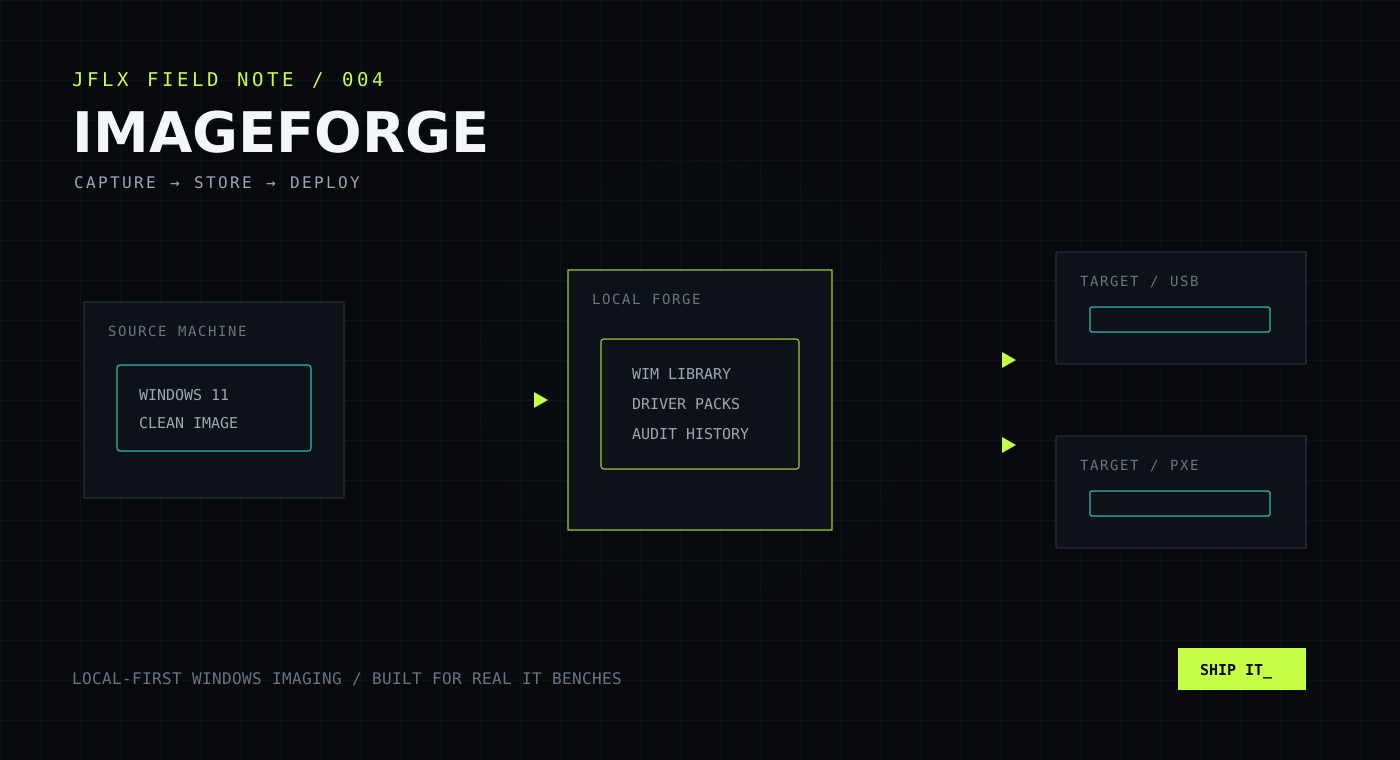
The core ImageForge workflow has three stages:
- Capture a clean Windows machine into a WIM image.
- Store and organize that image on a local Forge, alongside deployment profiles and model-specific driver packs.
- Deploy it to target machines using USB boot media or optional PXE network boot.
The target computer checks in with the Forge, identifies its hardware, and receives the selected image and matching drivers. The system records what was deployed and where, leaving an audit trail instead of another mystery machine.
USB first, PXE when it makes sense
PXE is useful, but it should not be an entry fee. ImageForge can start with an ISO written to USB, which makes it practical on an isolated bench or a network where PXE is not available.
When the environment is ready for network boot, PXE can be added. The workflow stays familiar; only the delivery path changes.
Designed to stay local
ImageForge is built for IT environments where control matters. Images, driver packs, profiles, and deployment history stay on the local Forge. Signed license keys are verified locally as well, so activation can work on an air-gapped imaging network.
That local-first model is not a limitation disguised as a feature. For operating-system images and hardware drivers, keeping the workflow close to the bench is often exactly what an organization needs.
One image, different hardware
A clean Windows image is only part of the equation. Real fleets contain different generations, chipsets, network adapters, and storage controllers.
ImageForge uses model-matched driver packs during deployment. That makes it possible to maintain a cleaner image strategy without manually rebuilding the same Windows configuration for every hardware model.
Who ImageForge is for
ImageForge is aimed at:
- Small and midsize IT teams refreshing or repairing Windows devices
- Managed service providers that need a repeatable bench workflow
- Schools, labs, and nonprofits working with mixed hardware
- Homelab operators who want a clean, understandable deployment system
- Anyone who needs more structure than a folder of images, but less machinery than a large enterprise suite
It is intentionally focused. ImageForge is not trying to replace every endpoint-management platform. It is trying to make capture and deployment dependable.
Built around the operator
The feature I care about most is not a checkbox. It is the feeling that the system explains itself. Image libraries should be legible. Driver matching should be visible. Deployment history should answer questions. Creating boot media should feel like a workflow, not an archaeological expedition through old documentation.
That principle shaped ImageForge from the beginning: reduce the number of things an operator has to remember.
Take a look
ImageForge is available now. At the time of this post, early-customer pricing is a one-time $100 purchase.
Visit Image-Forge.net to explore the workflow, review the documentation, and see whether it fits your bench.
If you try it, I would genuinely like to hear what works, what gets in the way, and what your imaging setup looks like. Tools get better when they meet real environments—and ImageForge was built for exactly that.