Introducing Availably: Turn Google Calendar Into a Message You Can Actually Send
Why I built a Chrome extension that finds your open time and turns it into polished, paste-ready availability.
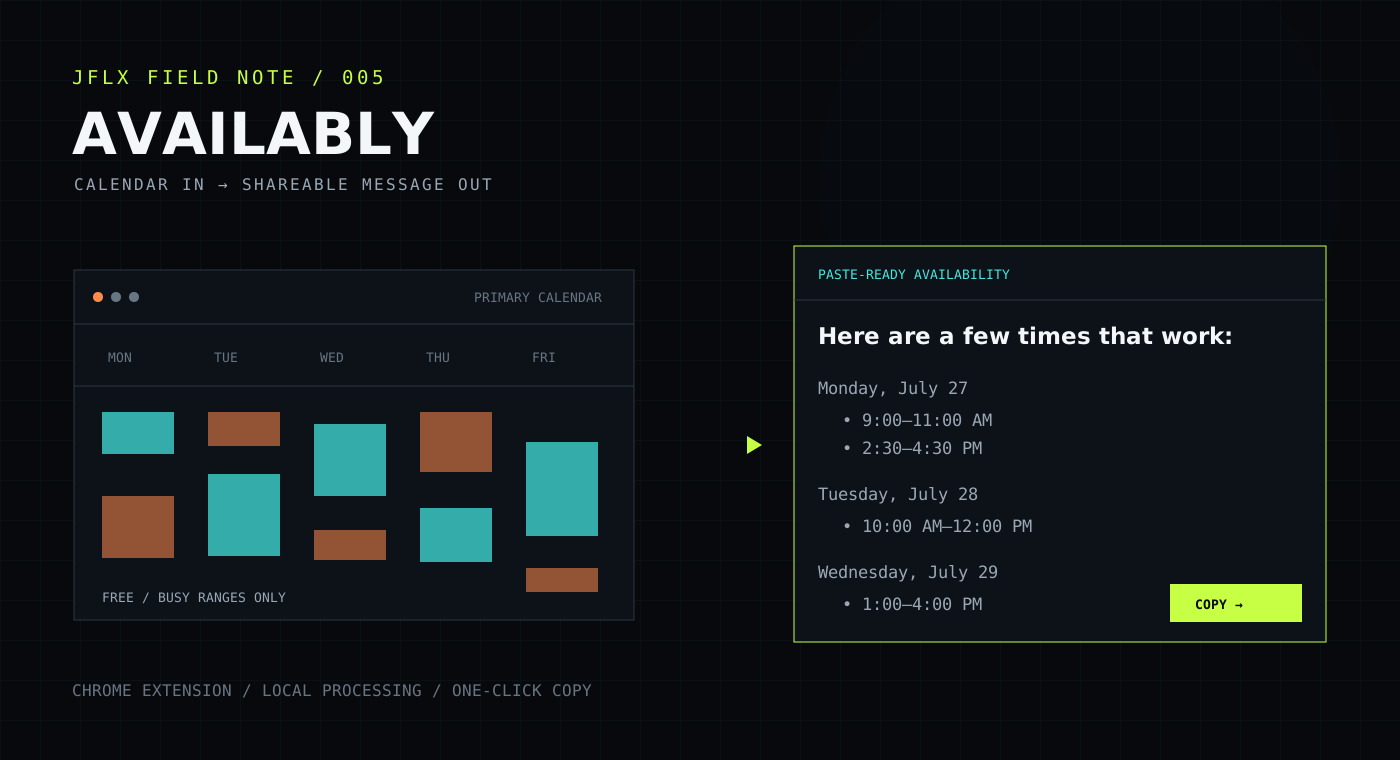
Introducing Availably: Turn Google Calendar Into a Message You Can Actually Send
There is a small scheduling task I have repeated more times than I can count: open Google Calendar, scan several days, mentally subtract every meeting, type the remaining windows into an email, and check it all again before sending.
The calendar already knows when I am busy. Why was I still doing the translation by hand?
That question became Availably, a Chrome extension that turns Google Calendar availability into a polished message you can paste into an email, chat, or document.
The gap between a calendar and a conversation
Google Calendar is excellent at showing a schedule. But when someone asks, “What times work for you next week?”, a visual calendar is not the answer they need.
They need something like:
Monday: 9:00–11:00 AM or 2:30–4:30 PM
Tuesday: 10:00 AM–12:00 PM
Wednesday: 1:00–4:00 PM
Creating that answer sounds simple. In practice, it involves switching context, comparing time blocks, applying working-hour preferences, deciding which openings are long enough, formatting the result, and making sure nothing was missed.
Availably handles that translation.
How Availably works
Open the extension, choose the period you want to share, and let Availably compare your preferred working window against the busy ranges in your primary Google Calendar.
The workflow is intentionally short:
- Choose a day, week, or month.
- Set the working hours you want to consider.
- Choose a minimum meeting length and optional buffers.
- Generate your open time.
- Copy the formatted message with one click.
The result is ready to paste wherever the scheduling conversation is already happening. There is no new booking page for the other person to navigate and no need to send them somewhere else just to answer a simple question.
Availability that fits the way you work
A list of technically open minutes is not necessarily useful availability. A 15-minute gap between two calls should not appear if you are trying to schedule a 45-minute meeting.
Availably lets you shape the calculation with:
- Custom working hours
- Minimum meeting-length filtering
- Buffers before and after meetings
- Optional weekend availability
- Local timezone formatting
- Day, week, and month ranges
Those controls make the output reflect the time you are actually willing and able to offer—not merely every unoccupied patch on the calendar.
Why a Chrome extension?
Availability requests usually arrive while I am already working in the browser: reading an email, responding in a team chat, or drafting a document.
A Chrome extension keeps the tool close to that moment. Open it from the toolbar, generate the message, copy it, and return to the conversation. The entire workflow can happen without opening another service or building a separate scheduling page.
That matters because the best productivity tools do not create a new destination. They remove steps from the place where the work is already happening.
Privacy was part of the design
A scheduling utility does not need to know what your meetings are about.
Availably requests Google Calendar free/busy access only. It does not receive event titles, descriptions, attendees, locations, or attachments. It uses busy time ranges to calculate the openings within your chosen settings.
Calendar availability is processed locally inside the extension and is not sent to JFLX.CLOUD servers. User preferences—such as working hours, meeting length, buffers, weekend settings, and the message introduction—are stored using Chrome’s synchronized extension storage.
The narrow permission model is deliberate: Availably needs to understand when time is occupied, not why.
You can read the complete Availably Privacy Policy for the exact data-access and retention details.
What I wanted the finished tool to feel like
Availably is not trying to become another calendar platform. It has one focused job: convert the schedule you already maintain into an answer you can send.
I wanted that process to feel:
- Fast enough to use for an ordinary email
- Flexible enough to match real working preferences
- Clear enough that the copied result needs no cleanup
- Private enough to use with a work calendar
Keeping the scope narrow made the product better. Every setting either improves the availability calculation or improves the message that comes out of it.
Install Availably
Availably is now available from the Chrome Web Store.
You can also visit the Availably homepage for a quick feature overview.
If you use it, I would love to hear where it saves you time and what would make the workflow even better. Small, repeated frustrations are often where the most useful tools begin.